
📚 JAutomations Platform — Documentation (v1.2.0 +)
Workflow Automation Platform for Joomla 5 & Joomla 6
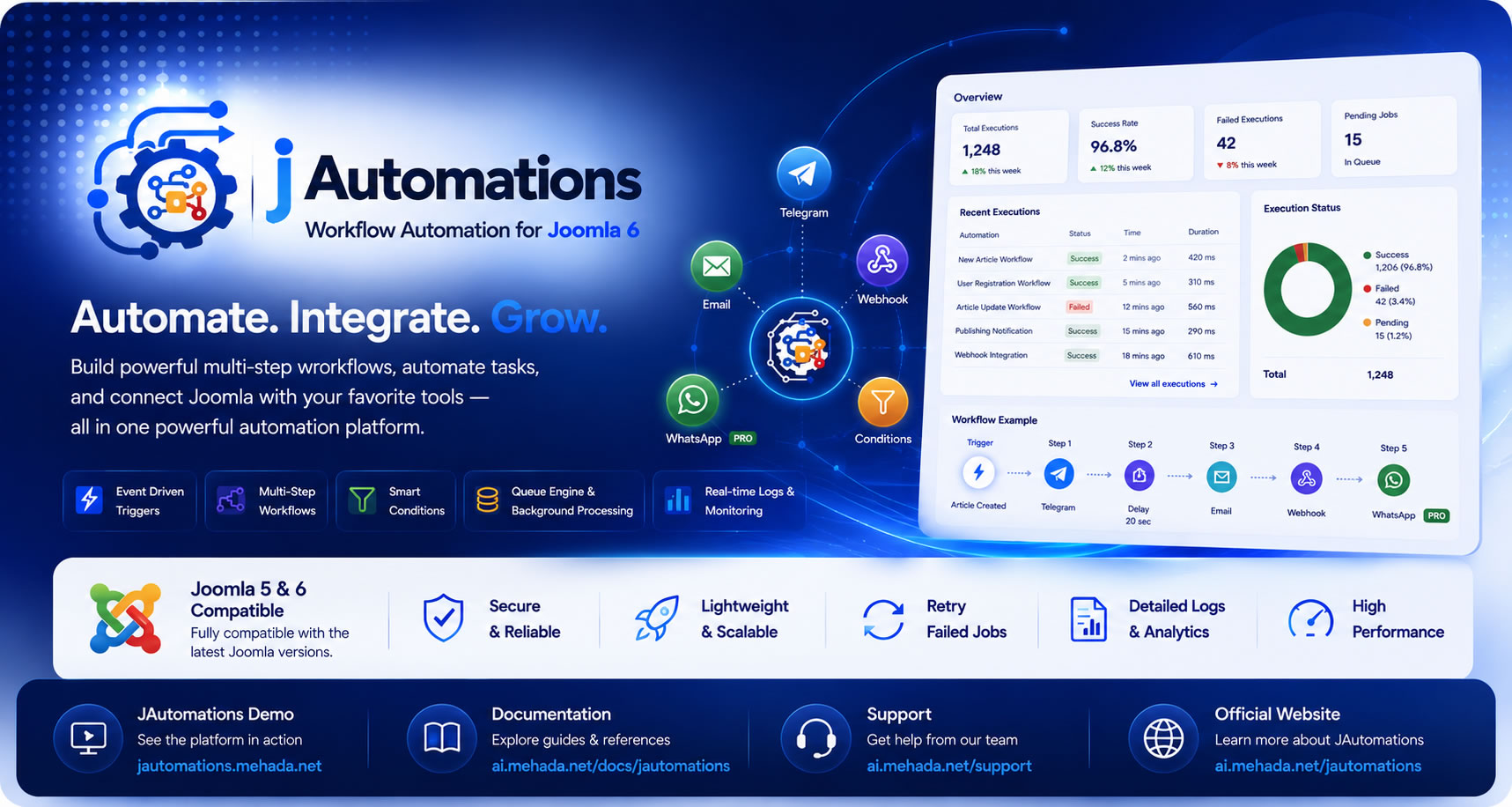
JAutomations is a modern workflow automation platform for Joomla that allows you to build powerful event-driven workflows directly inside your Joomla website.
The platform supports:
-
Multi-step workflows
-
Smart conditions
-
Queue processing
-
Telegram integrations
-
Email automation
-
Webhook integrations
-
WhatsApp Cloud API
-
Retry systems
-
Execution monitoring
-
Background processing
JAutomations transforms Joomla into a scalable automation platform with enterprise-style workflow capabilities.
🧠 1. Introduction
What is JAutomations?
JAutomations Platform is a native Joomla automation engine designed to automate tasks, execute actions, and connect Joomla with external services using event-based workflows.
It allows Joomla administrators and developers to:
-
Automate repetitive operations
-
Execute actions automatically
-
Create intelligent workflows
-
Connect Joomla with external APIs
-
Run jobs asynchronously in the background
-
Monitor execution status and logs
-
Build advanced conditional workflows
🎯 Core Concept
JAutomations is built around four main concepts:
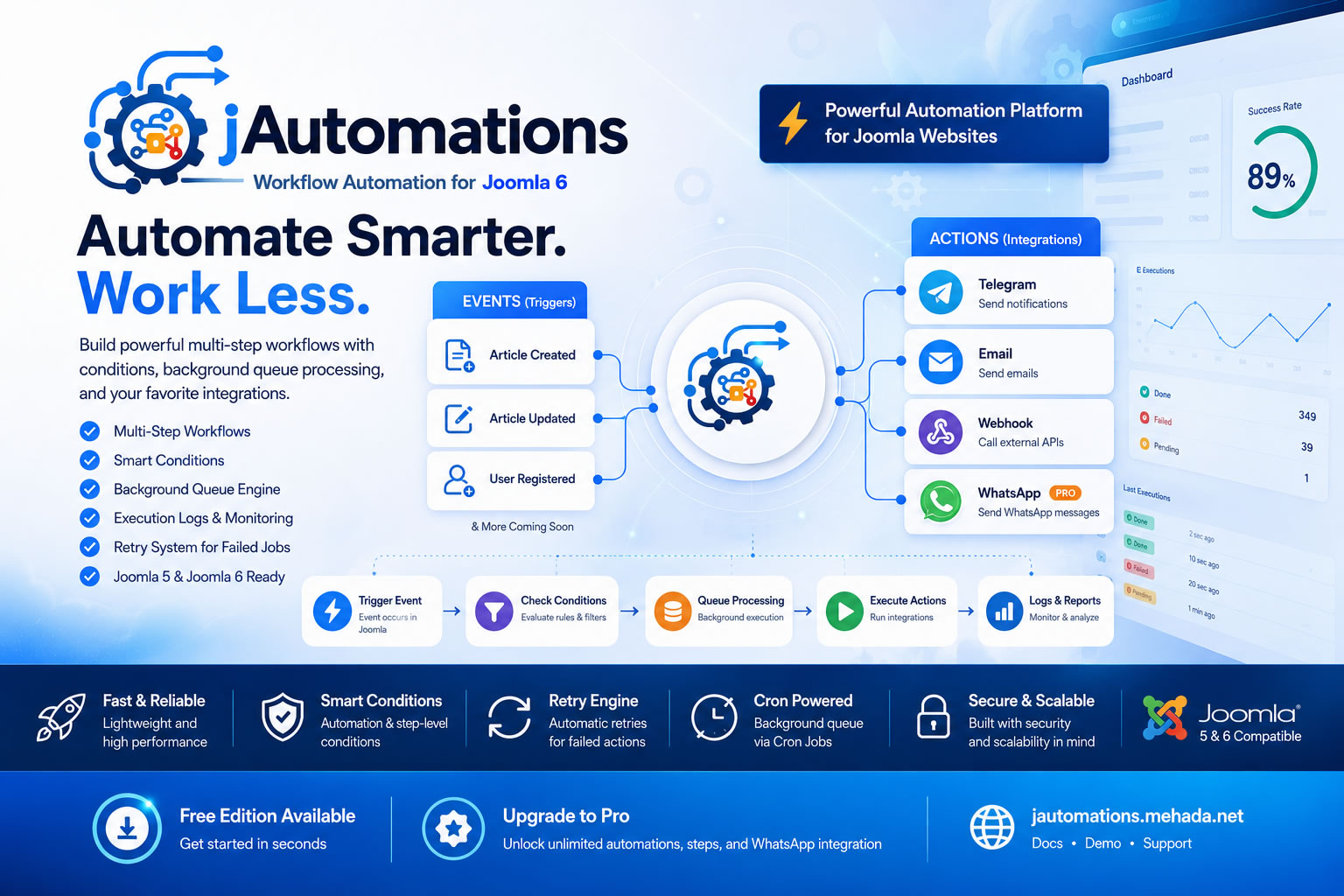
Trigger → Workflow → Conditions → Actions
Trigger
An event that starts the automation.
Examples:
-
Article Created
-
Article Updated
-
User Registered
-
User Updated
Workflow
A sequence of one or more automation steps.
Example:
-
Send Telegram notification
-
Wait 10 seconds
-
Send Email
-
Trigger Webhook
-
Send WhatsApp message
Conditions
Smart filtering rules that determine when workflows or steps should execute.
Supported at:
-
Automation level
-
Step level
Examples:
-
Category equals News
-
Article is Featured
-
User group equals Editors
Actions
The actual execution tasks.
Supported actions:
-
Telegram Notifications
-
Email Actions
-
Webhooks
-
WhatsApp Cloud API (Pro)
🚀 Why JAutomations?
JAutomations was designed specifically for Joomla websites and modern workflow automation.
Key Advantages
✔ Native Joomla integration
✔ No external automation platform required
✔ Queue-based asynchronous execution
✔ Multi-step workflow engine
✔ Smart conditions system
✔ Lightweight architecture
✔ Retry engine for failed jobs
✔ Real-time monitoring dashboard
✔ Joomla 5 & Joomla 6 compatible
✔ Extensible architecture for future integrations
⚙️ 2. Requirements
Before installation, ensure the following requirements are available:
| Requirement | Version |
|---|---|
| Joomla | 5.x or 6.x |
| PHP | 8.1+ |
| Cron Access | Required |
| Database | MySQL / MariaDB |
| SMTP Configuration | Optional (Email Actions) |
📦 3. Installation Guide
Step 1: Install the Package
Go to:
Joomla Admin → System → Install → Extensions
Upload:
pkg_jautomations_v1.2.0.zip
Joomla will automatically start the installation process.
Step 2: Verify Installation
Make sure the following are available:
Component:
Components → JAutomations
Plugin:
System - JAutomations
Step 3: Enable the Plugin
Go to:
System → Plugins
Search for:
System - JAutomations
Ensure the plugin is Enabled
Step 4: Setup Cron Job (Important ⚠️)
JAutomations uses background queue processing.
You must configure a Cron Job on your server.
Recommended Cron Command
* * * * * /usr/local/bin/lsphp /home/USERNAME/public_html/cli/jautomations_queue.php
Alternative Cron Command
* * * * * php /home/USERNAME/public_html/cli/jautomations_queue.php
Recommended Frequency
Run the cron job every:
1 minute
🧩 4. First Automation (Quick Start)
🎯 Example:
Send a Telegram message when a new article is published.
Step 1: Create Automation
Go to:
JAutomations → Automations
Click:
New
Step 2: Configure Event Trigger
Select:
Article Created
or:
Article Updated
Step 3: Add Workflow Conditions (Optional)
Examples:
| Field | Operator | Value |
|---|---|---|
| Category | equals | News |
| State | equals | Published |
These conditions control when the workflow should execute.
Step 4: Add Workflow Step
Choose action:
Telegram Notification
Step 5: Configure Telegram Action
Required fields:
-
Bot Token
-
Chat ID
-
Message
Example:
📰 New Article Published

Title: {{title}}

Author: {{author}}

🔗 {{url}}
Step 6: Add Step Conditions (Optional)
Example:
| Field | Operator | Value |
|---|---|---|
| Featured | equals | Yes |
This allows conditional execution for specific workflow steps.
Step 7: Save & Test
-
Save the automation
-
Create a new article
-
Verify Telegram delivery
-
Monitor Queue & Logs
🔁 5. Understanding Workflows
Multi-Step Workflow Example
A workflow may include:
-
Send Telegram notification
-
Wait 30 seconds
-
Send Email
-
Trigger Webhook
-
Send WhatsApp notification
Each step executes independently through the queue engine.
🔄 Execution Flow
Workflow Lifecycle
-
Joomla Event Triggered
-
Automation Conditions Validated
-
Queue Job Created
-
CLI Worker Processes Queue
-
Steps Execute Sequentially
-
Logs & Statistics Updated
⏱️ 6. Queue & Background Processing
How Queue Processing Works
Each workflow execution is stored in:
#__jautomations_execution_queue
The Queue Worker:
-
Reads pending jobs
-
Executes workflow steps
-
Handles retries
-
Updates execution status
-
Stores logs
🧠 Why Queue Processing Matters
Benefits include:
✔ Prevents website slowdown
✔ Handles heavy tasks safely
✔ Supports retry mechanisms
✔ Enables asynchronous workflows
✔ Improves reliability and scalability
🔌 7. Integrations & Actions
1. Telegram
Send notifications via Telegram Bot API.
Required:
-
Bot Token
-
Chat ID
Supports:
-
Dynamic placeholders
-
Rich notifications
-
Workflow conditions
2. Email Actions
Send automated emails using Joomla SMTP configuration.
Supports:
-
HTML emails
-
Dynamic content
-
Workflow-based notifications
3. Webhooks
Trigger external APIs automatically.
Features:
-
POST requests
-
JSON payloads
-
External integrations
-
API automation
Perfect for:
-
Zapier
-
Make.com
-
CRM systems
-
External APIs
4. WhatsApp Cloud API (Pro Edition)
Send WhatsApp notifications using Meta WhatsApp Cloud API.
Features:
-
Real-time messaging
-
Dynamic placeholders
-
Automation notifications
-
External communication workflows
🔀 8. Conditions & Smart Logic
JAutomations supports advanced smart conditions.
Automation-Level Conditions
Control whether the entire workflow should run.
Examples:
-
Category = News
-
State = Published
-
Author = Administrator
Step-Level Conditions
Each workflow step can contain independent conditions.
Examples:
-
Send Telegram only for Featured articles
-
Trigger Webhook for specific categories only
Supported Operators
-
equals
-
not equals
-
contains
-
starts with
-
ends with
-
empty
-
not empty
📊 9. Logs & Monitoring
Execution Logs Include
-
Success / Failed status
-
Error messages
-
Execution timestamps
-
Action details
-
Retry attempts
-
Response status
Dashboard Features
-
Total executions
-
Failed jobs
-
Queue statistics
-
Performance monitoring
-
Workflow activity charts
🛠️ 10. Troubleshooting
❌ Queue Not Working
Check:
✔ Cron job is active
✔ CLI path is correct
✔ Queue worker permissions
❌ Telegram Not Sending
Verify:
✔ Bot Token
✔ Chat ID
✔ Internet access
❌ Email Not Sending
Check:
✔ Joomla SMTP settings
✔ Mail configuration
❌ WhatsApp Not Sending
Verify:
✔ Meta Access Token
✔ Phone Number ID
✔ API configuration
❌ Automation Not Triggered
Verify:
✔ Plugin is enabled
✔ Correct event selected
✔ Conditions are matched
🔐 11. Security Notes
For best security practices:
✔ Keep API keys private
✔ Use HTTPS for Webhooks
✔ Restrict administrator access
✔ Protect server Cron access
✔ Monitor execution logs regularly
🧪 12. Best Practices
✔ Start with simple workflows
✔ Use conditions to optimize execution
✔ Monitor logs frequently
✔ Test workflows before production use
✔ Use delays for heavy integrations
✔ Organize workflows logically
💎 13. Free vs Pro Edition
| Feature | Free Edition | Pro Edition |
|---|---|---|
| Basic Automations | ✔ | ✔ |
| Multi-Step Workflows | Limited | Unlimited |
| Telegram | ✔ | ✔ |
| Email Actions | ✔ | ✔ |
| Webhooks | ✔ | ✔ |
| WhatsApp Integration | ❌ | ✔ |
| Workflow Limits | Limited | Unlimited |
| Advanced Automation | Limited | ✔ |
📌 14. FAQ
Can I use JAutomations without Cron?
❌ No — queue processing requires CLI execution.
Does JAutomations affect website performance?
❌ No — workflows execute asynchronously in the background.
Can I build multi-step workflows?
✅ Yes — JAutomations supports advanced multi-step execution.
Can I connect Joomla with external APIs?
✅ Yes — using Webhooks and external integrations.
Are smart conditions supported?
✅ Yes — both automation-level and step-level conditions are supported.
🚀 15. Support & Resources
📘 Documentation
https://ai.mehada.net/en/documentation/jautomations-platform-documentation-v1-2-0
🚀 Live Demo
https://jautomations.mehada.net/
💎 Pro Edition
https://ai.mehada.net/en/joomla-extension/jautomations
🧩 Joomla Extensions Directory (JED)
https://extensions.joomla.org/extension/administration/jautomations-workflow-automation-for-joomla/
🛣️ Future Roadmap
Upcoming planned features include:
-
Additional Joomla Events
-
More Action Providers
-
AI-powered workflows
-
Workflow templates
-
Advanced analytics
-
Third-party extension integrations
-
Custom event builders
❤️ Final Notes
JAutomations transforms Joomla into a modern workflow automation platform capable of handling advanced automation pipelines, smart conditions, external integrations, and scalable background processing.
Whether you are building publishing workflows, notification systems, API integrations, or enterprise automation pipelines, JAutomations provides the flexibility and power required for modern Joomla projects.
Mehada.Net [Atef Hegazy] © 2026 JAutomations Platform — Workflow Automation for Joomla