
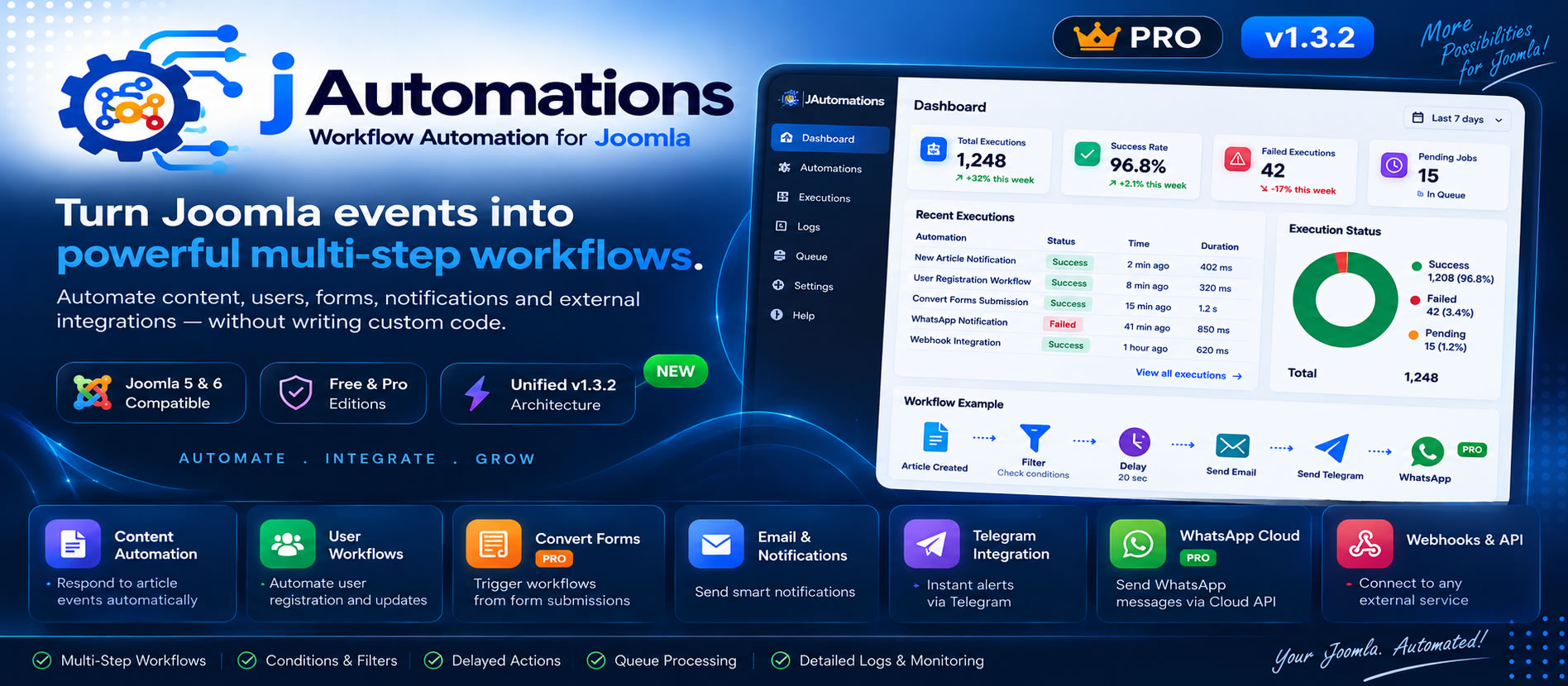
📚 JAutomations — Documentation (v1.3.2)
Workflow Automation for Joomla 5 & Joomla 6
JAutomations is a modern workflow automation platform for Joomla. It allows you to turn Joomla events into automated, multi-step workflows and connect your website with messaging services, email, external APIs, and supported integrations.
JAutomations v1.3.2 introduces a Unified Free & Pro Architecture while keeping the same powerful automation engine across both editions.
The platform supports:
- Multi-Step Workflows
- Smart Conditions & Filters
- Delayed Actions
- Queue Processing
- Retry Handling
- Email Notifications
- Telegram Integration
- Webhooks & API Connections
- WhatsApp Cloud API — Pro
- Convert Forms Integration — Pro
- Execution Logs & Monitoring
- Background Processing
JAutomations is designed to make workflow automation a native part of your Joomla website, without requiring custom automation code for every recurring task.
🧠 1. Introduction
What is JAutomations?
JAutomations is a native Joomla automation engine designed to automate tasks, execute actions, and connect Joomla with external services using event-driven workflows.
It allows Joomla administrators and developers to:
- Automate repetitive operations
- Respond automatically to Joomla events
- Create multi-step workflows
- Apply conditions before executing a workflow or step
- Delay actions when required
- Process queued jobs in the background
- Connect Joomla with external APIs
- Send automated notifications
- Monitor workflow executions and logs
Unified Free & Pro Architecture
Starting with v1.3.2, JAutomations uses one unified package and one automation engine for both Free and Pro editions.
The installed JAutomations runtime is the same. The available capabilities and limits are determined by the active edition and its entitlements.
- Free Edition: available without a Pro license.
- Pro Edition: activated and managed through the JAutomations Platform (JAP) with the corresponding license and entitlements.
🎯 Core Concept
JAutomations is built around a simple automation model:
Trigger → Conditions → Workflow → Actions
Trigger
A Joomla event or supported integration event that starts an automation.
Examples include:
- Article Created
- Article Updated
- User Registered
- User Updated
- Form Submission through supported integration
Conditions
Conditions determine whether the automation or an individual workflow step should execute.
Workflow
A workflow is a sequence of one or more steps executed according to the configured logic.
Actions
Actions perform the actual work, such as sending a message, email, webhook request, or WhatsApp notification.
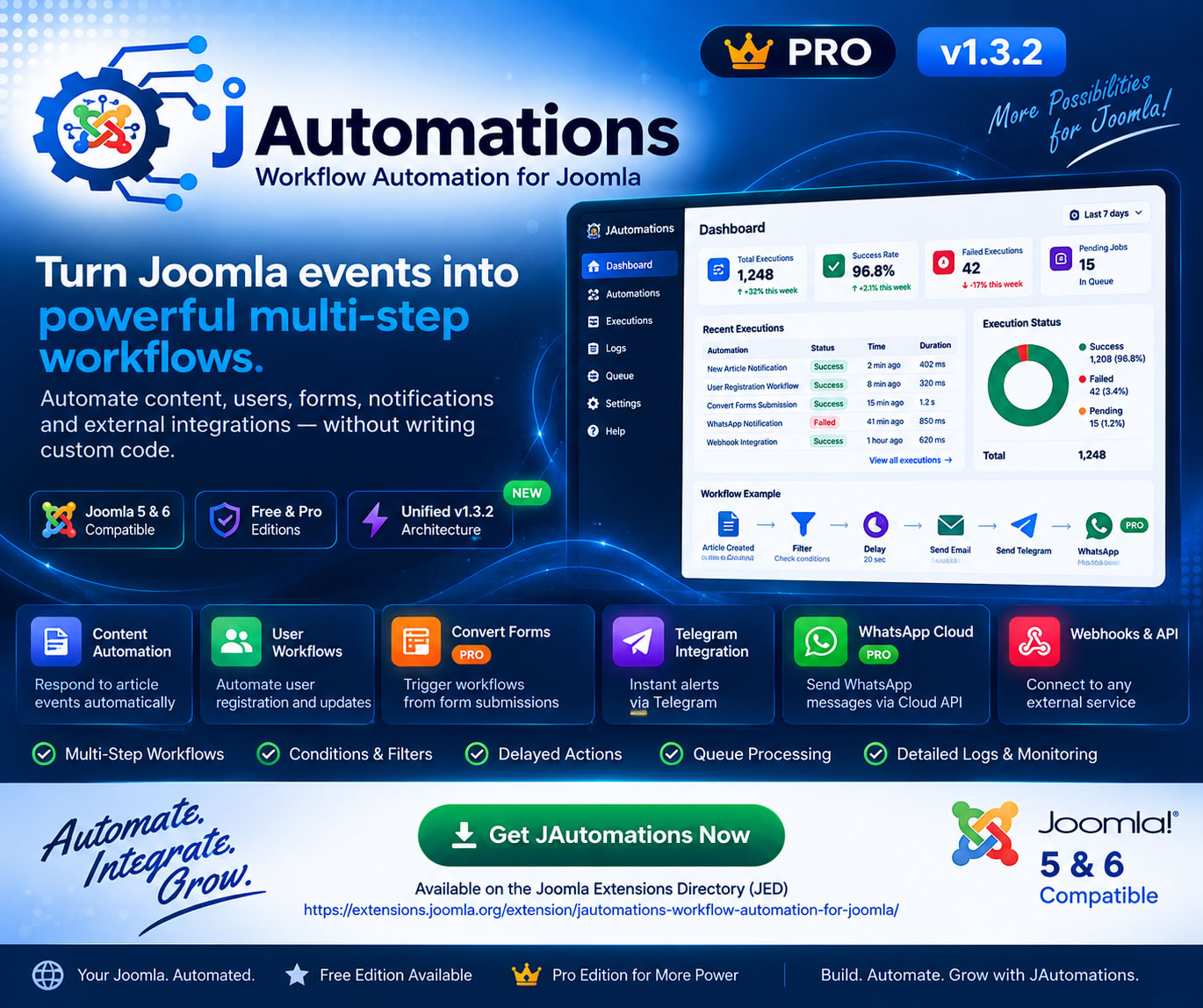
🚀 2. Why JAutomations?
JAutomations was designed specifically for Joomla websites and provides an automation layer directly inside Joomla.
Key Advantages
✔ Native Joomla integration
✔ Unified Free & Pro architecture
✔ Multi-Step Workflow engine
✔ Smart conditions and filters
✔ Delayed actions
✔ Queue-based background processing
✔ Retry handling
✔ Detailed execution logs
✔ Email, Telegram and Webhook actions
✔ WhatsApp Cloud API integration — Pro
✔ Convert Forms integration — Pro
✔ Joomla 5 & Joomla 6 compatibility
⚙️ 3. Requirements
Before installation, ensure that your Joomla website meets the following requirements:
| Requirement | Recommended / Supported |
|---|---|
| Joomla | 5.x or 6.x |
| PHP | 8.1+ |
| Database | MySQL / MariaDB |
| Server CLI / Cron | Required for queue/background processing |
| SMTP | Joomla mail configuration for Email Actions |
📦 4. Installation
Step 1: Install the Unified Package
In Joomla Administrator, go to:
System → Install → ExtensionsUpload the JAutomations v1.3.2 Unified Package:
pkg_jautomations_v1.3.2.zipJoomla will install the required JAutomations components and plugins as part of the unified package.
Step 2: Verify the Installation
Open:
Components → JAutomationsAlso verify the system plugin:
System - JAutomationsStep 3: Enable the Core Plugin
Go to:
System → PluginsSearch for:
System - JAutomationsMake sure the plugin is Enabled.
Step 4: Queue / Background Processing
If your workflows use queue-based or delayed background processing, configure a server Cron Job to execute the JAutomations queue worker.
Example:
* * * * * /usr/local/bin/lsphp /home/USERNAME/public_html/cli/jautomations_queue.phpAlternative:
* * * * * php /home/USERNAME/public_html/cli/jautomations_queue.phpReplace the PHP executable and Joomla installation path with the values used by your server.
A frequency of approximately every minute is suitable for regular queue processing where near-real-time execution is desired.
🧩 5. Quick Start — Your First Automation
🎯 Example: Notify Telegram when a new article is created
Step 1: Create an Automation
Open:
JAutomations → Automation ManagerClick:
New AutomationStep 2: Select the Trigger
Select the event that should start the workflow:
Article CreatedDepending on the desired workflow, an article update event can also be used.
Step 3: Add Conditions — Optional
For example, only process articles in the News category:
| Field | Operator | Value |
|---|---|---|
| Category | equals | News |
| State | equals | Published |
Step 4: Add an Action
Add a workflow step and select:
Telegram NotificationStep 5: Configure Telegram
Configure the required Telegram connection information and message content.
Example message:
📰 New Article Published

Title: {{title}}

Author: {{author}}

🔗 {{url}}
Step 6: Save and Test
- Save the automation.
- Create or update the relevant Joomla content.
- Verify the action result.
- Check the execution logs.
- If the workflow is queued, verify the queue processing.
🔔 6. Events & Triggers
Events are the starting points of JAutomations workflows. When a supported event occurs, JAutomations evaluates the matching automation and its conditions before executing the workflow.
Joomla Events
Article Events
- Article Created
- Article Updated
User Events
- User Registered
- User Updated
Integration Events
- Form Submission through supported integrations
Available events may expand as JAutomations evolves. Always use the event list shown in your installed version when creating a workflow.
🔁 7. Workflows
Multi-Step Workflows
A workflow can contain multiple actions and processing steps. This allows one Joomla event to trigger a complete sequence instead of a single isolated action.
Example
- Article Created
- Check Conditions
- Send Email
- Wait / Delay
- Send Telegram Notification
- Trigger Webhook
- Send WhatsApp Notification — Pro
Step Execution
Each workflow step is processed according to its configuration and conditions. Queued workflows can continue through their remaining steps after the current step is completed.
Delayed Actions
Delays allow you to separate workflow steps in time. This is useful for notification sequences, follow-up messages, scheduled processing, and integrations that should not execute immediately after the trigger.
Retry Handling
When a queued action encounters a retryable failure, the execution can be processed again according to the workflow's execution and retry behavior.
⏱️ 8. Queue & Background Processing
How Queue Processing Works
JAutomations can use background queue processing for workflow jobs that should execute asynchronously or continue through delayed and multi-step processing.
The queue worker processes pending jobs and updates their execution state.
Typical Processing Flow
- Joomla event is triggered.
- The matching automation is evaluated.
- Conditions are checked.
- A queued job is created when background processing is required.
- The queue worker processes the job.
- Workflow steps execute according to their configuration.
- Execution results and logs are updated.
Why Queue Processing Matters
Queue processing helps separate longer-running or delayed tasks from the immediate Joomla event and provides a controlled execution path for multi-step workflows.
✔ Background execution
✔ Delayed processing
✔ Multi-step continuation
✔ Retry handling
✔ Execution monitoring
🔌 9. Actions & Integrations
1. Email Actions
Send automated email messages as part of a workflow using Joomla's mail configuration.
Typical uses include:
- Article notifications
- User notifications
- Workflow alerts
- Follow-up messages
2. Telegram Integration
Send automated Telegram notifications using a Telegram Bot configuration.
Typical configuration includes:
- Bot Token
- Chat ID
- Message content
Dynamic workflow data can be used in message content where supported by the action.
3. Webhooks & API Connections
Webhooks allow JAutomations to send workflow data to external services and APIs.
Typical uses include:
- External APIs
- CRM systems
- Integration platforms
- Custom web services
Typical webhook capabilities include:
- HTTP POST requests
- JSON payloads
- Dynamic workflow data
- External service integration
4. WhatsApp Cloud API — Pro
JAutomations Pro can send WhatsApp messages through the Meta WhatsApp Cloud API.
Typical configuration includes the WhatsApp Cloud API credentials and identifiers required by Meta.
Typical uses include:
- User notifications
- Article notifications
- Workflow alerts
- Automated customer communication
5. Convert Forms Integration — Pro
JAutomations Pro integrates with Convert Forms to trigger workflows from supported form submissions.
Convert Forms is an external Joomla extension and is not bundled or distributed with JAutomations.
Example workflow:
Convert Forms Submission
        ↓
Check Conditions
        ↓
Send Email
        ↓
Send Telegram
        ↓
Trigger Webhook
🔀 10. Conditions & Smart Logic
Conditions allow workflows to make decisions before executing an automation or a specific step.
Automation-Level Conditions
These conditions determine whether the overall automation should execute.
Examples:
- Category equals News
- State equals Published
- Author matches a specific user
Step-Level Conditions
Individual workflow steps can have their own conditions, allowing different actions to execute only when their specific criteria are satisfied.
Examples:
- Send Telegram only for Featured articles.
- Trigger a Webhook only for selected categories.
- Send a specific notification only when a required value is present.
Common Operators
- equals
- not equals
- contains
- starts with
- ends with
- empty
- not empty
📊 11. Execution Logs & Monitoring
JAutomations provides execution information to help administrators understand what happened during workflow processing.
Execution Information
- Success / Failed status
- Error information when available
- Execution timestamps
- Action and step information
- Retry information where applicable
- Response information for supported integrations
Dashboard
The dashboard provides an overview of workflow activity, including execution statistics and status information.
Typical dashboard information includes:
- Total executions
- Successful executions
- Failed executions
- Pending jobs
- Recent executions
- Execution status
💎 12. Free vs Pro Edition
| Feature | Free Edition | Pro Edition |
|---|---|---|
| Unified Automation Engine | ✔ | ✔ |
| Basic Automations | ✔ | ✔ |
| Multi-Step Workflows | Limited | Unlimited |
| Conditions & Filters | ✔ | ✔ |
| Email Actions | ✔ | ✔ |
| Telegram Integration | ✔ | ✔ |
| Webhooks | ✔ | ✔ |
| WhatsApp Cloud API | ❌ | ✔ |
| Convert Forms Integration | ❌ | ✔ |
| Workflow / Automation Limits | Limited | Unlimited |
| Advanced Automation Capabilities | Limited | ✔ |
Important: JAutomations Free does not require a Pro license. Pro capabilities are enabled through the corresponding Pro entitlement.
🆔 13. JAutomations Platform (JAP)
What is JAP?
The JAutomations Platform (JAP) provides centralized management for JAutomations editions, Pro licensing, and feature entitlements.
Free Edition
JAutomations Free can be used without purchasing or activating a Pro license.
Pro Licensing
JAutomations Pro is activated and managed through JAP using the corresponding Pro license. The available Pro capabilities are controlled by the license and its entitlements.
Entitlements
Entitlements determine which Pro capabilities are available to an installation. This allows JAutomations to use the same unified runtime while providing the appropriate capabilities for the active edition.
License Switching
Where supported by the installation and license status, a JAutomations installation can change its active Pro license through the licensing interface.
In simple terms: JAP manages licensing and entitlements, while JAutomations executes the workflows inside Joomla.
🔄 14. Updating to v1.3.2
New Installation
New installations use the Unified JAutomations package:
pkg_jautomations_v1.3.2.zipAfter installation, the appropriate edition is determined by the available JAutomations configuration and entitlements.
Free → Unified v1.3.2
Existing Free installations can be updated to the Unified v1.3.2 package through the normal Joomla Update System.
Pro → Unified v1.3.2
Existing Pro installations can also be upgraded to the Unified v1.3.2 package. The update moves the installation to the unified runtime while Pro capabilities are managed through JAP and the corresponding license.
Migration Note
During the transition from the legacy Pro package to the Unified package, Joomla may temporarily retain the old legacy Pro package/update-site entry after a successful upgrade.
If the Unified v1.3.2 package is installed and working correctly, the legacy pkg_jautomations_pro package can be removed from Joomla when it is no longer required.
After migration, future updates should use the Unified JAutomations update stream.
🔐 15. Security & Best Practices
Security
For secure operation:
✔ Keep API credentials private
✔ Use HTTPS when communicating with external services
✔ Restrict administrator access
✔ Protect server Cron / CLI access
✔ Review execution logs regularly
Best Practices
✔ Start with simple workflows
✔ Test workflows before production use
✔ Use conditions to avoid unnecessary executions
✔ Use delays where appropriate
✔ Monitor failed executions
✔ Keep workflows logically organized
✔ Review external API credentials periodically
🛠️ 16. Troubleshooting
❌ Automation Not Triggered
Check:
✔ The JAutomations system plugin is enabled
✔ The correct event is selected
✔ The automation is enabled
✔ Conditions are satisfied
❌ Queue Not Processing
Check:
✔ The server Cron Job is active
✔ The CLI path is correct
✔ The configured PHP executable is valid
✔ The queue worker can execute successfully
❌ Telegram Not Sending
Verify:
✔ Bot Token
✔ Chat ID
✔ Telegram configuration
✔ Server internet access
❌ Email Not Sending
Check:
✔ Joomla mail settings
✔ SMTP configuration where applicable
✔ Sender configuration
✔ Execution logs for the failed action
❌ WhatsApp Not Sending
Verify:
✔ Meta Access Token
✔ Phone Number ID
✔ WhatsApp Cloud API configuration
✔ Execution logs
❌ Convert Forms Workflow Not Triggering
Check:
✔ Convert Forms is installed and working
✔ The JAutomations Convert Forms integration is available and configured
✔ The correct form event is selected
✔ The automation is enabled
✔ Conditions are satisfied
🧪 17. Examples & Workflow Recipes
Recipe 1 — New Article Notification
Article Created
      ↓
Check Category
      ↓
Send Email
      ↓
Send Telegram
Recipe 2 — New User Welcome Workflow
User Registered
      ↓
Check User Conditions
      ↓
Send Welcome Email
      ↓
Send Telegram Notification
Recipe 3 — Convert Forms Lead Notification
Convert Forms Submission
      ↓
Check Conditions
      ↓
Send Email
      ↓
Send Telegram
      ↓
Trigger Webhook
Recipe 4 — Pro WhatsApp Notification
User Registered
      ↓
Check Conditions
      ↓
Send Email
      ↓
Send WhatsApp Message
      ↓
Send Telegram
Recipe 5 — Delayed Multi-Step Workflow
Article Created
      ↓
Send Telegram
      ↓
Delay
      ↓
Send Email
      ↓
Trigger Webhook
❓ 18. FAQ
Can I use JAutomations without a Pro license?
✅ Yes. JAutomations Free can run without a Pro license.
Can I build multi-step workflows?
✅ Yes. Multi-Step Workflows are supported, with limits depending on the active edition.
Can I connect Joomla with external APIs?
✅ Yes. Webhooks can be used to connect JAutomations workflows with external APIs and services.
Is WhatsApp available in the Free Edition?
❌ WhatsApp Cloud API is a Pro capability.
Does JAutomations integrate with Convert Forms?
✅ Yes. Convert Forms Integration is available in the Pro Edition.
Is Convert Forms included with JAutomations?
❌ No. Convert Forms is a separate Joomla extension. JAutomations provides the integration.
Do I need Cron?
Queue and background processing require scheduled CLI execution. If your workflow uses queue-based or delayed processing, configure the JAutomations queue worker on your server.
Where can I see failed executions?
Use the JAutomations Dashboard and Execution Logs to review workflow activity and failures.
🚀 19. Support & Resources
📘 Documentation
You are reading the current JAutomations v1.3.2 documentation.
🚀 Live Demo
https://jautomations.mehada.net/
💎 JAutomations Product Page
https://ai.mehada.net/en/joomla-extension/jautomations
🧩 Joomla Extensions Directory (JED)
https://extensions.joomla.org/extension/jautomations-workflow-automation-for-joomla/
🛣️ 20. Future Direction
JAutomations continues to evolve as a Joomla-native workflow automation platform.
Future development may include:
- Additional Joomla Events
- More Action Providers
- Additional third-party integrations
- Workflow Templates and Recipes
- Advanced workflow capabilities
- Improved analytics and monitoring
- AI-assisted workflow features
Future integrations and capabilities will be shaped by product development priorities and feedback from the Joomla community.
❤️ Final Notes
JAutomations v1.3.2 provides a unified foundation for Free and Pro workflow automation on Joomla 5 and Joomla 6.
Whether you need article notifications, user workflows, form-driven automation, external API connections, delayed actions, or multi-step processing, JAutomations provides a flexible way to automate recurring tasks directly from your Joomla website.
Automate. Integrate. Grow.
Mehada.Net [Atef Hegazy] © 2026 JAutomations — Workflow Automation for Joomla